
Installing ClassE
Screenshots are the Chrome browser on your telephone
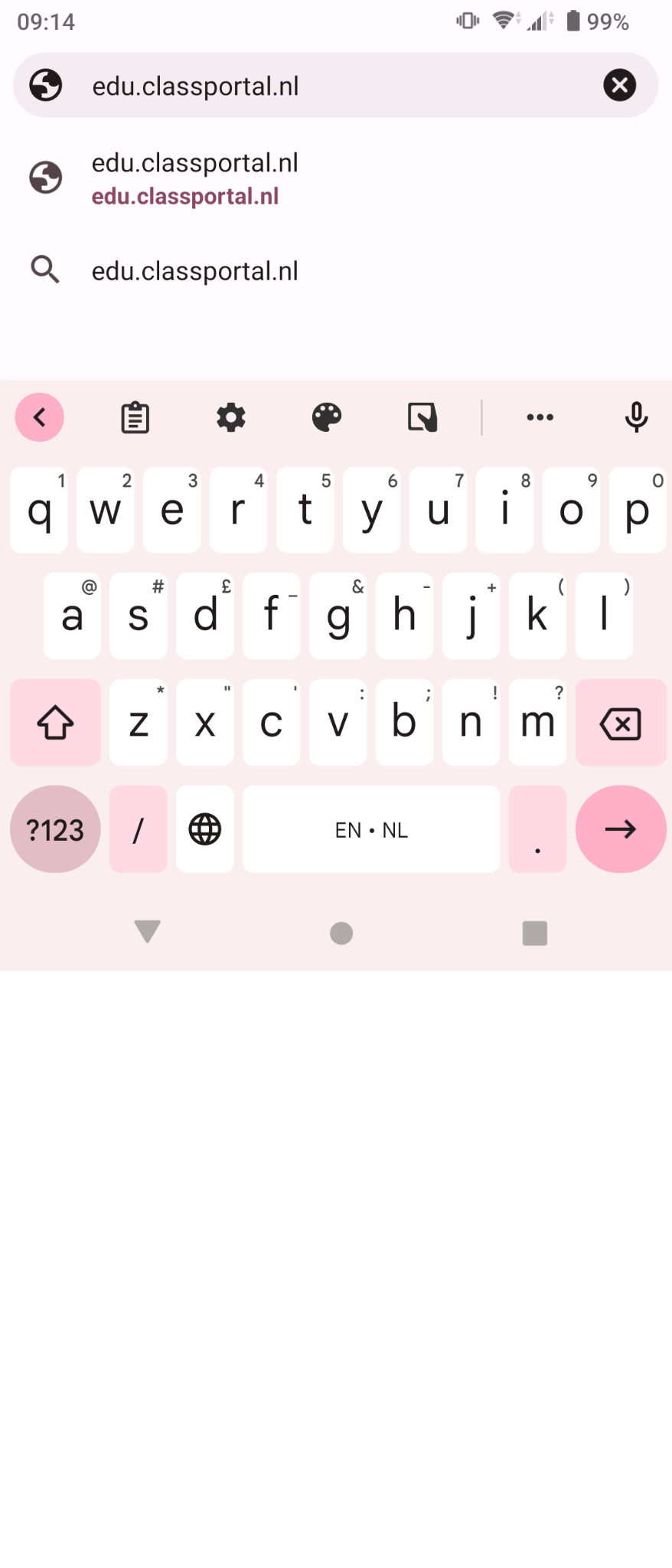
(1) Open your browser and go to edu.classportal.nl
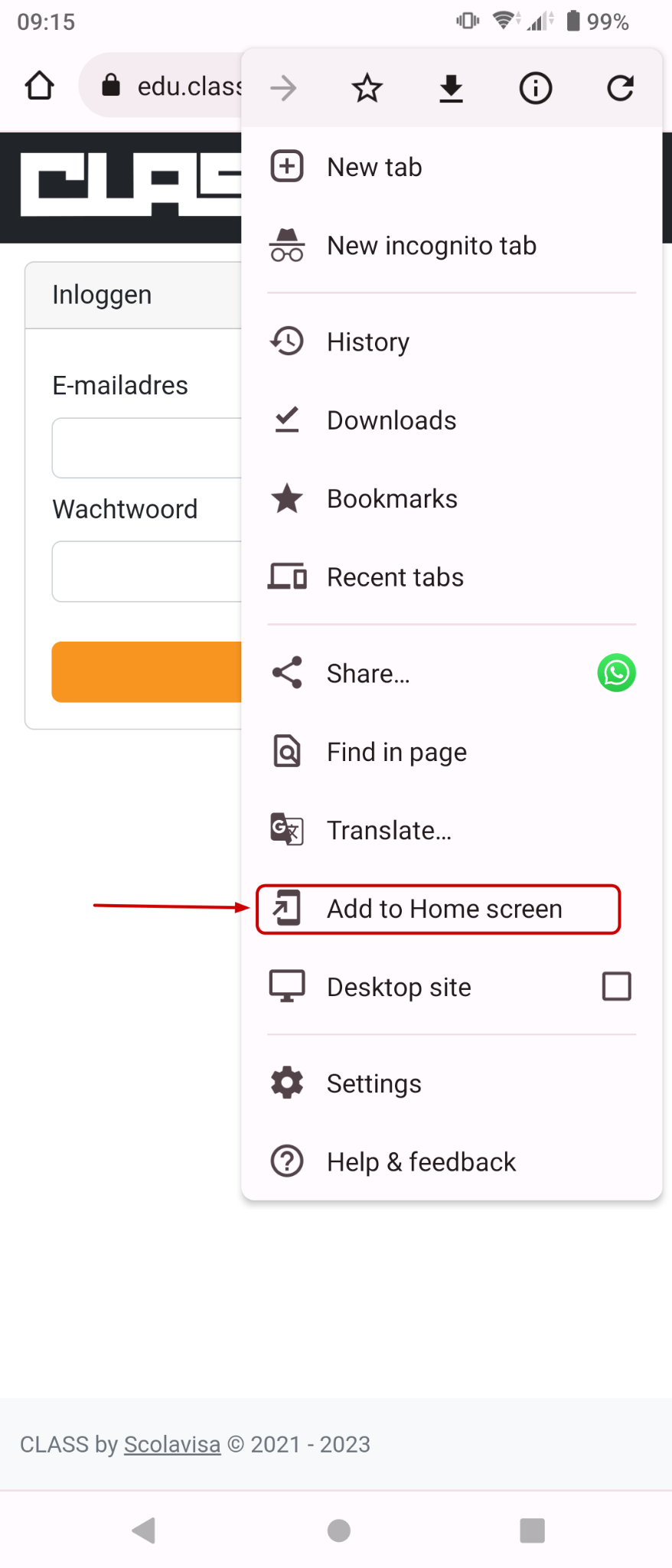
(3) fix it to your homescreen
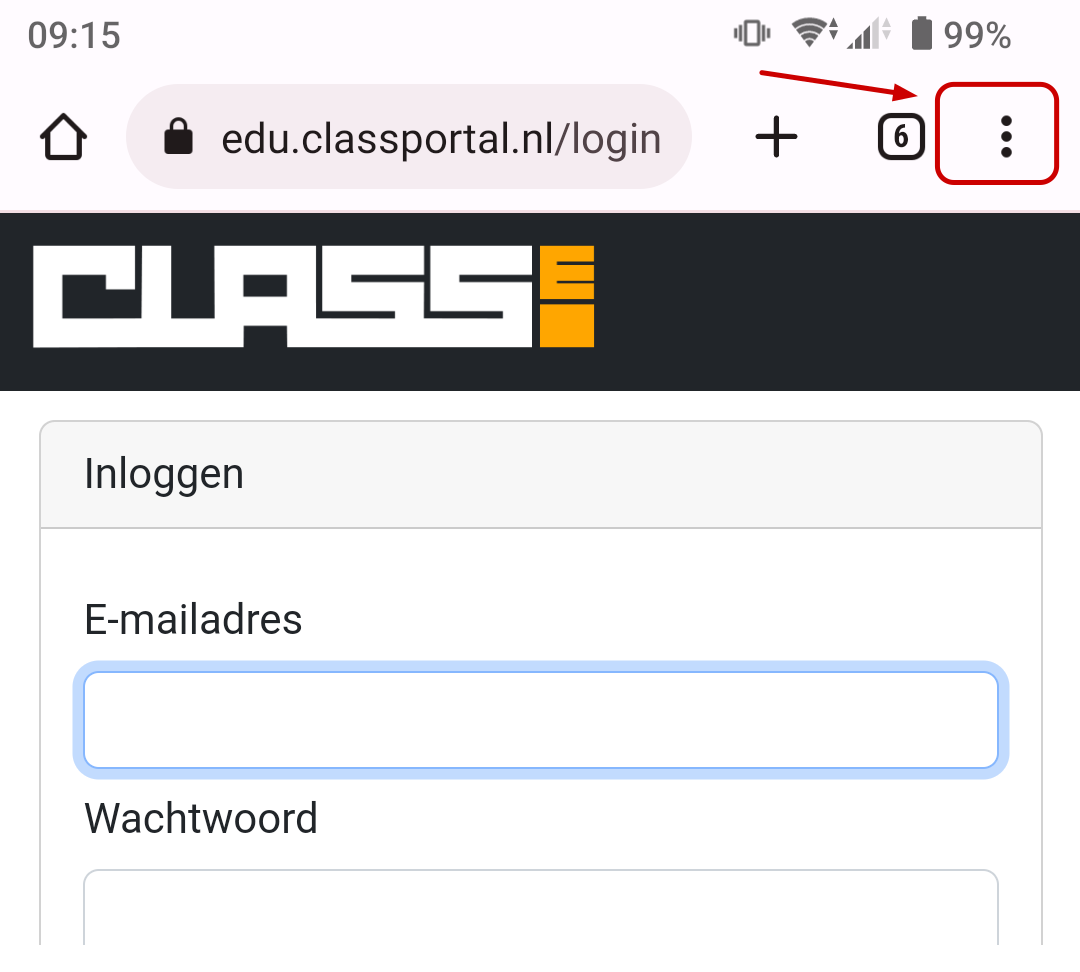
(2) Optional, for easy access: when you see the ClassE application, press the three dots at the top
If you didn’t do optional steps (2) and (3), you may get the question “Add to homescreen” after using ClassE for a while.